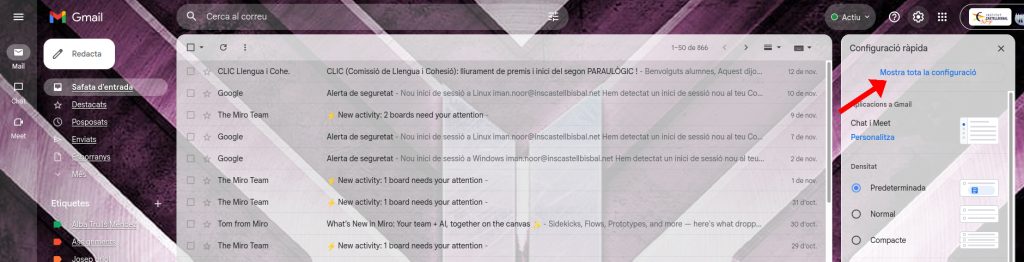
Open gmail than click on the ”setting icon”

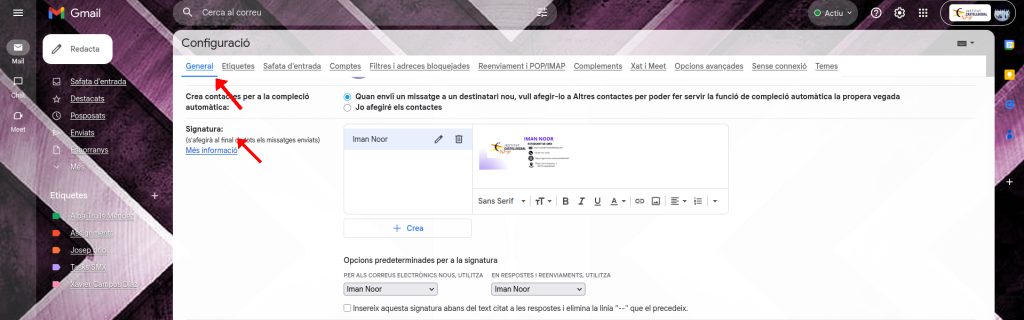
Than click on the ”see all the setting”

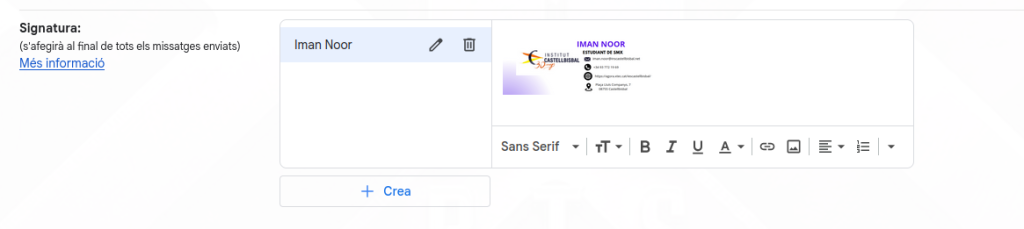
And than you scroll down and there you can see written signature, first enter your name and after that put you logo.

Process of Creating the Signature:
To create my digital signature, I first designed its appearance using Canva🎨 (it could also be done with Photoshop, GIMP, or a similar tool).
In Canva, I:
1- Chose a professional email signature template.
2- Added the logo of Institut Castellbisbal.
3- Wrote my full name (“IMAN NOOR”).
4- Added my position or role (“SMX Student”).
5- Included my institutional email address.
6- Added the contact phone number and the school website link.
7- Wrote the address of the institute.
When I finished the design, I exported it as a PNG image to be able to use it inside Gmail.

This is the signature i put on my email.

🎨 Elaboration Tool(Canva):
The signature’s visual design was created using Canva, an online graphic design platform.